Set up your team. Publish your first schedule.
See how employee scheduling works in Calendza—from adding locations and inviting employees to publishing shifts, tracking hours and reviewing requests.
- No credit card required
- Invite your team when ready
- Review before you publish

Your first working week, made clear.
Follow the setup in order. Add more people and refine your schedule as your team grows.
- Set the foundations
Create your workspace and locations.
Start employee scheduling with your business details, work locations and positions. Confirm the timezone used for shifts at each location.
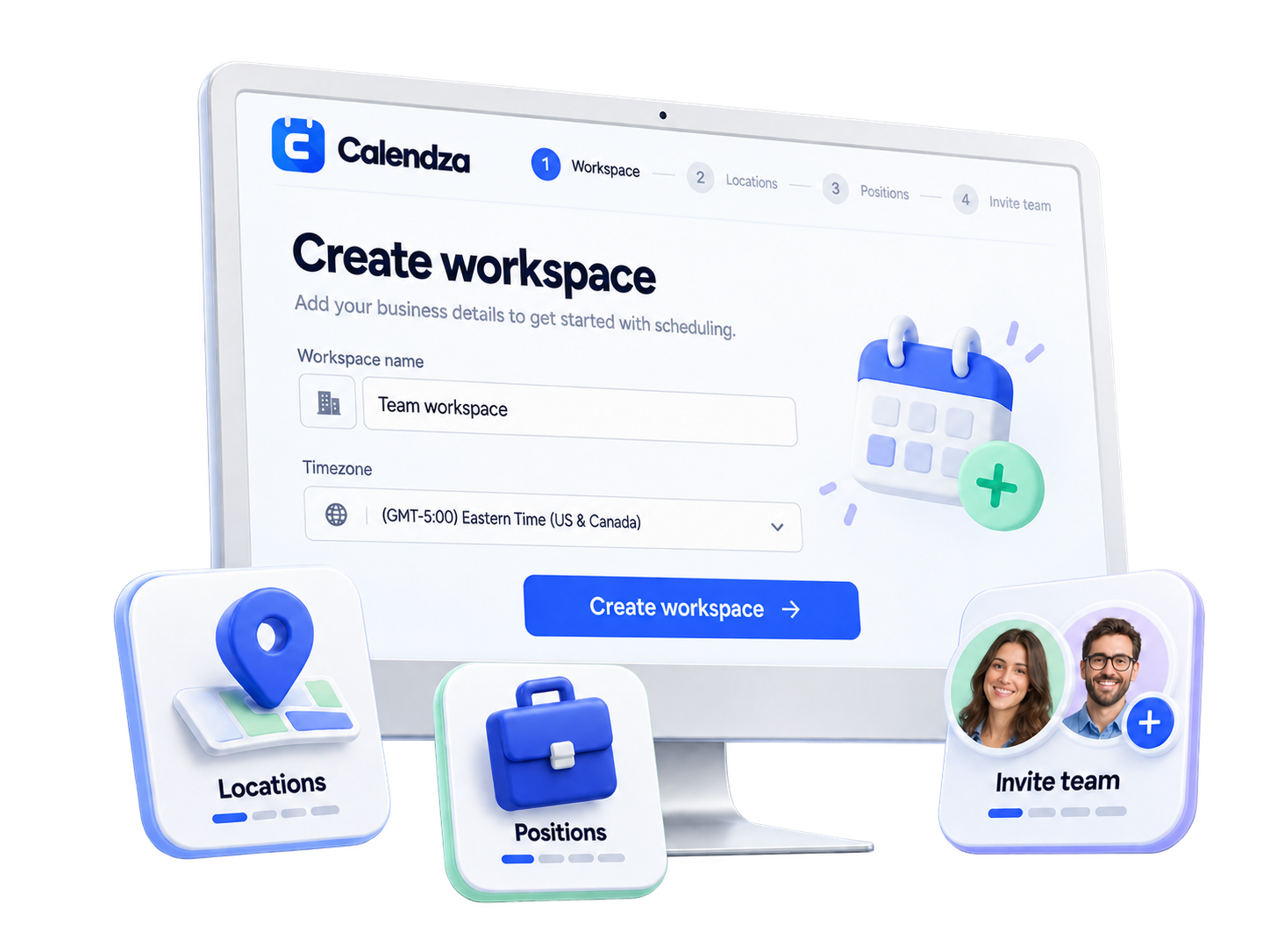
- Add your business details and location timezone.
- Set up the positions you will schedule.
Your workspace is ready.
- Bring people in
Add employees and invite your team.
Create employee profiles, assign locations and positions, then send an invitation or share a private invitation link. Give managers access to the locations they support.
 Invite your teamJLJordan LeeManager · Main locationInvitedTBTaylor BrooksEmployee · Main locationInvited
- Assign people to their locations and positions.
- Choose employee or manager access as needed.
Everyone has their own place to work.
- Plan and share
Build and publish your weekly schedule.
Use the Shift Planner to set dates, times and positions. Assign employees or leave shifts open, review scheduling warnings, then publish when the week is ready.
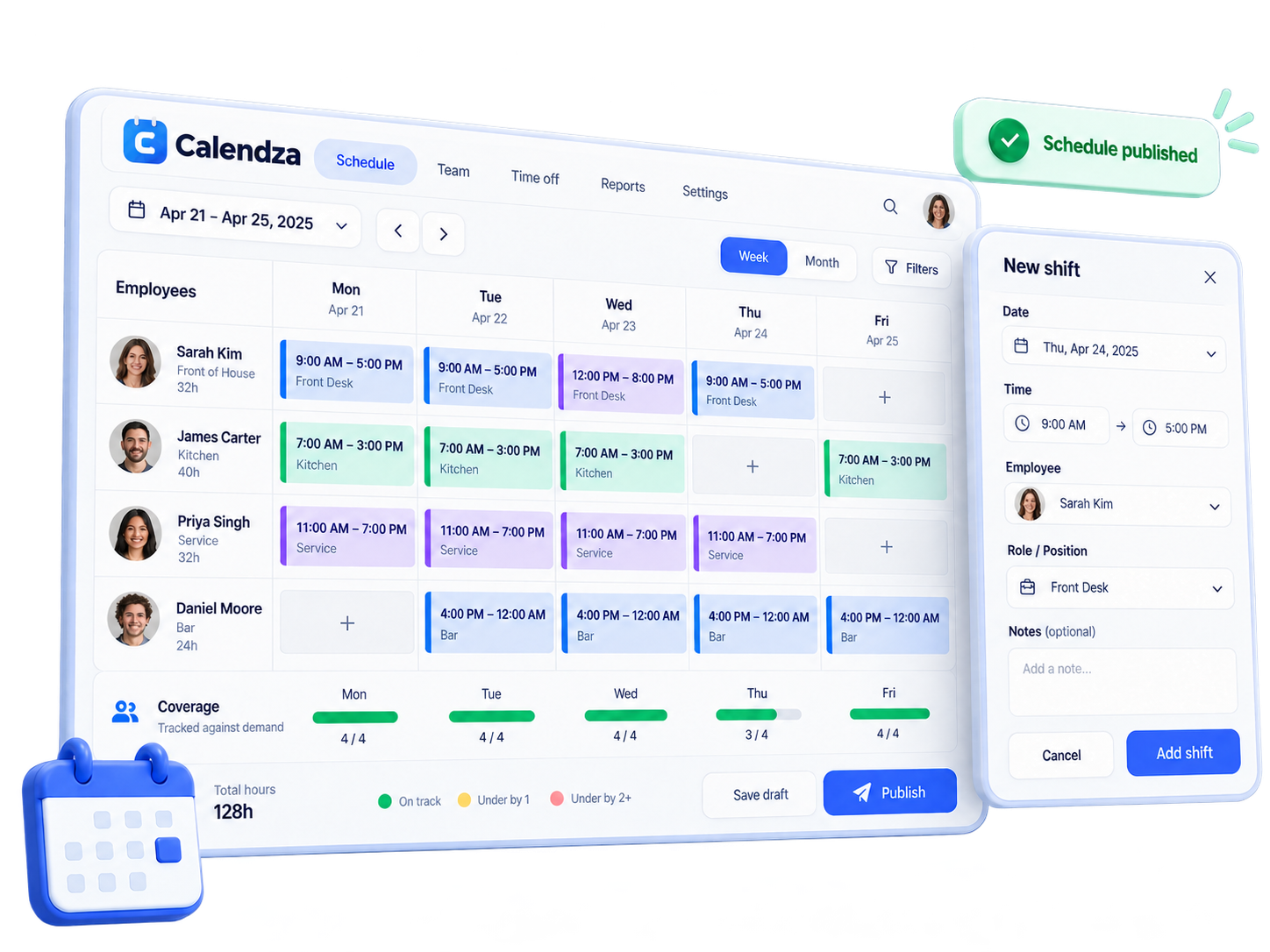
- Set shift dates, times and assignments.
- Review the week, then publish it for your team.
Your team can see the published schedule.
- Keep the day moving
Track time and manage the working day.
Employees check published shifts, record clock-ins and breaks, and submit requests. Owners and authorized managers review attendance, corrections and workforce reports.
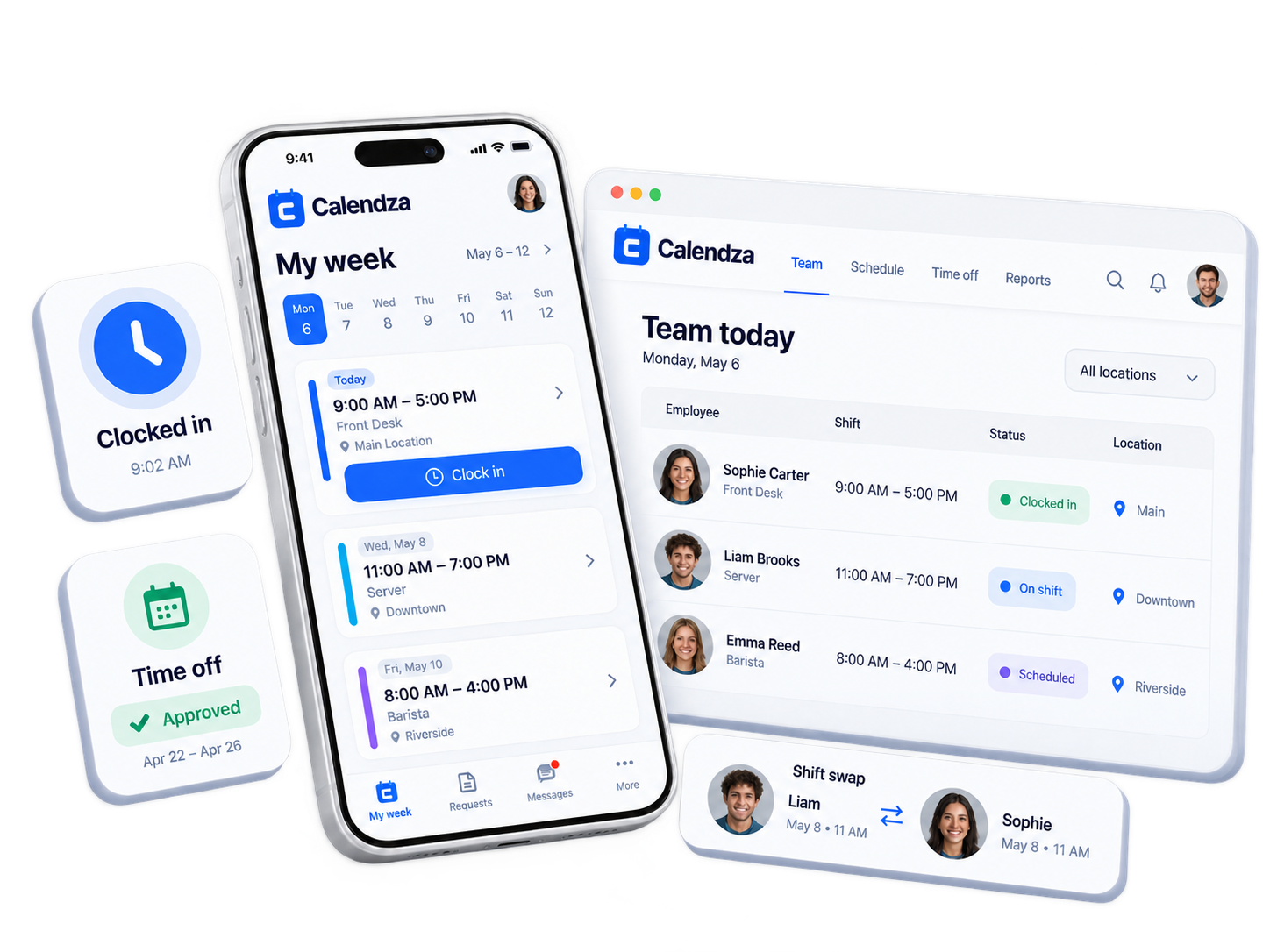
- Clock in, take breaks, and request time off or shift changes.
- Review timesheets and reports, and coordinate changes in team messages.
Schedules, hours and decisions stay together.


A few things worth knowing.
Start with the basics. The rest can follow as you get comfortable.
Do I need to invite everyone before I start?
No. Start with your workspace, locations and positions. You can add people and send invitations as you get your first schedule ready.
When can employees see the schedule?
Employees see their published shifts in their own workspace. You can build and review a draft before sharing it with your team.
Who reviews time off and shift requests?
Business owners and authorized managers review requests within their assigned scope. Employees can submit requests and follow the recorded decision.
Start with your workspace. Build the week from there.
Plan shifts, track time and keep your working week connected.
